


This is perfect for privacy in our reception area. It works very well with the added benefit of protecting the eyes of reception staff.
iMac Desktop Computer Detachable Privacy Screen with Anti-Glare and Anti-Blue Light Functionality
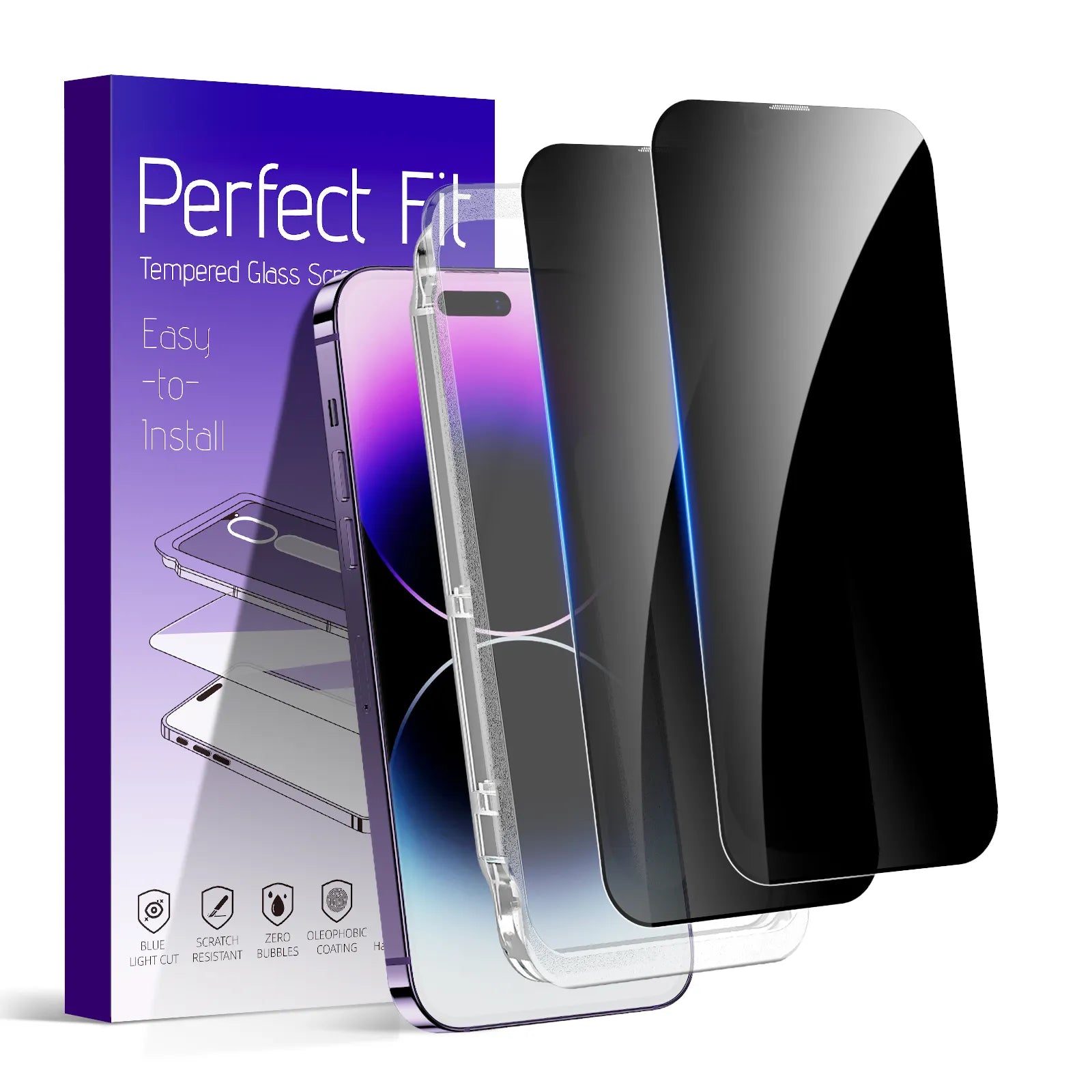
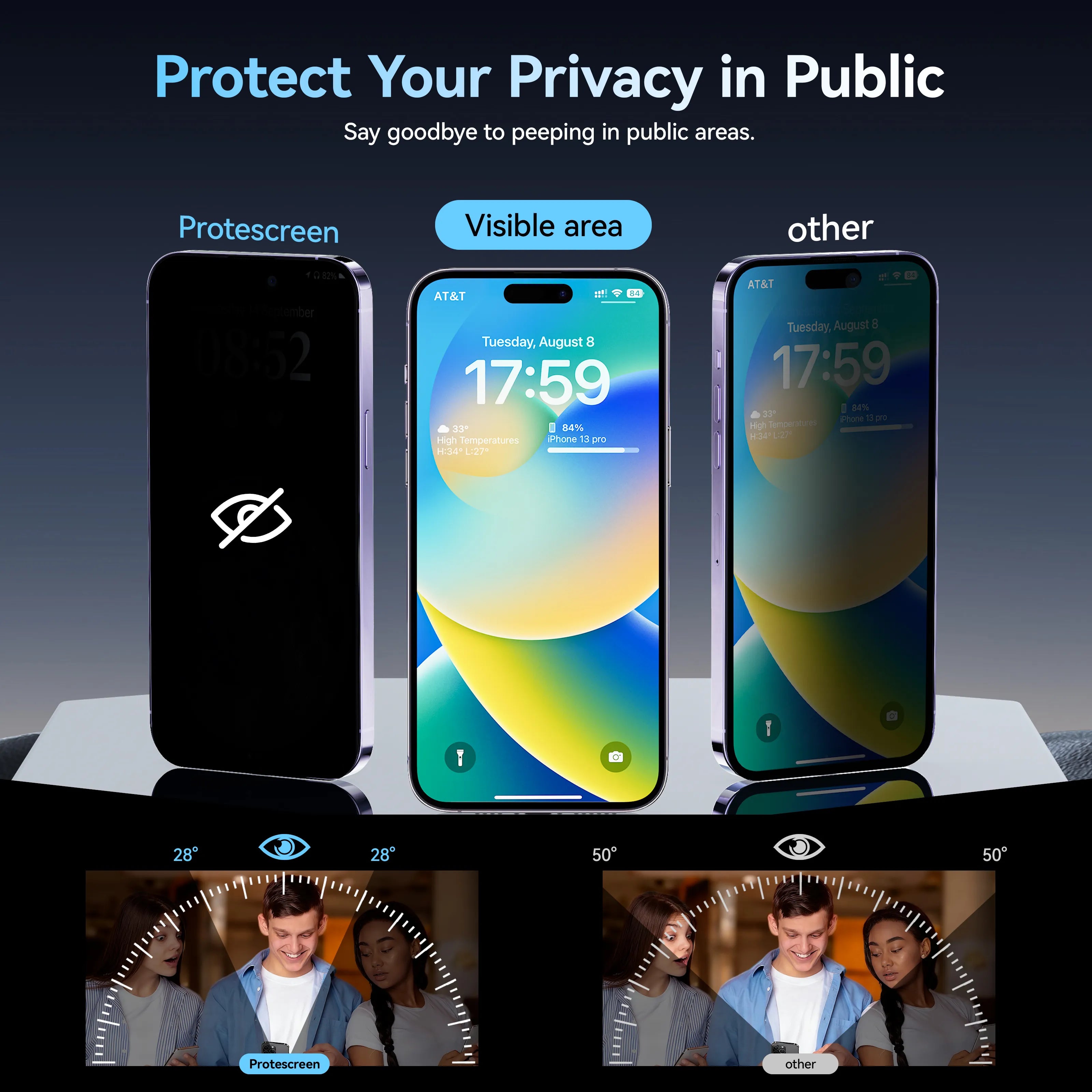
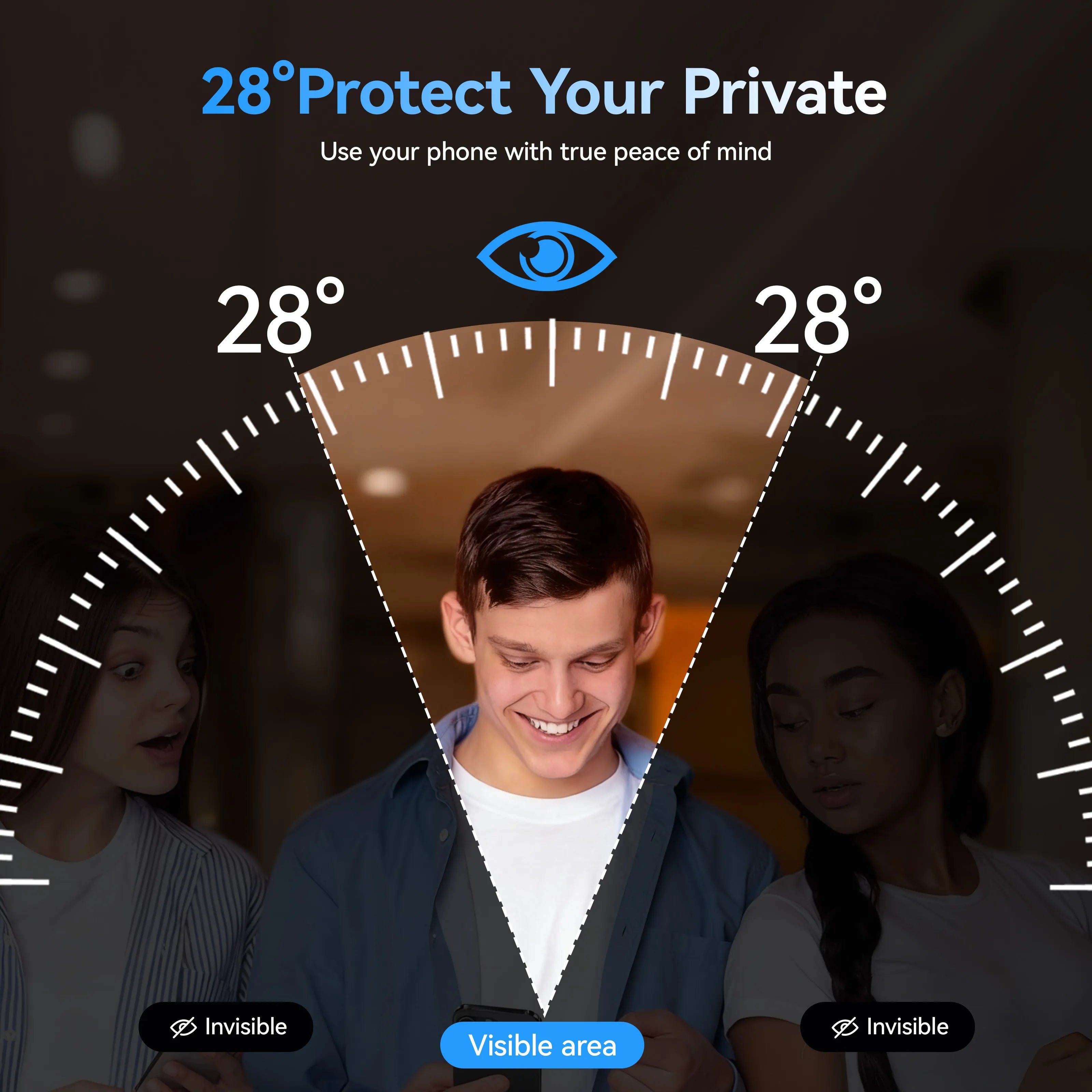
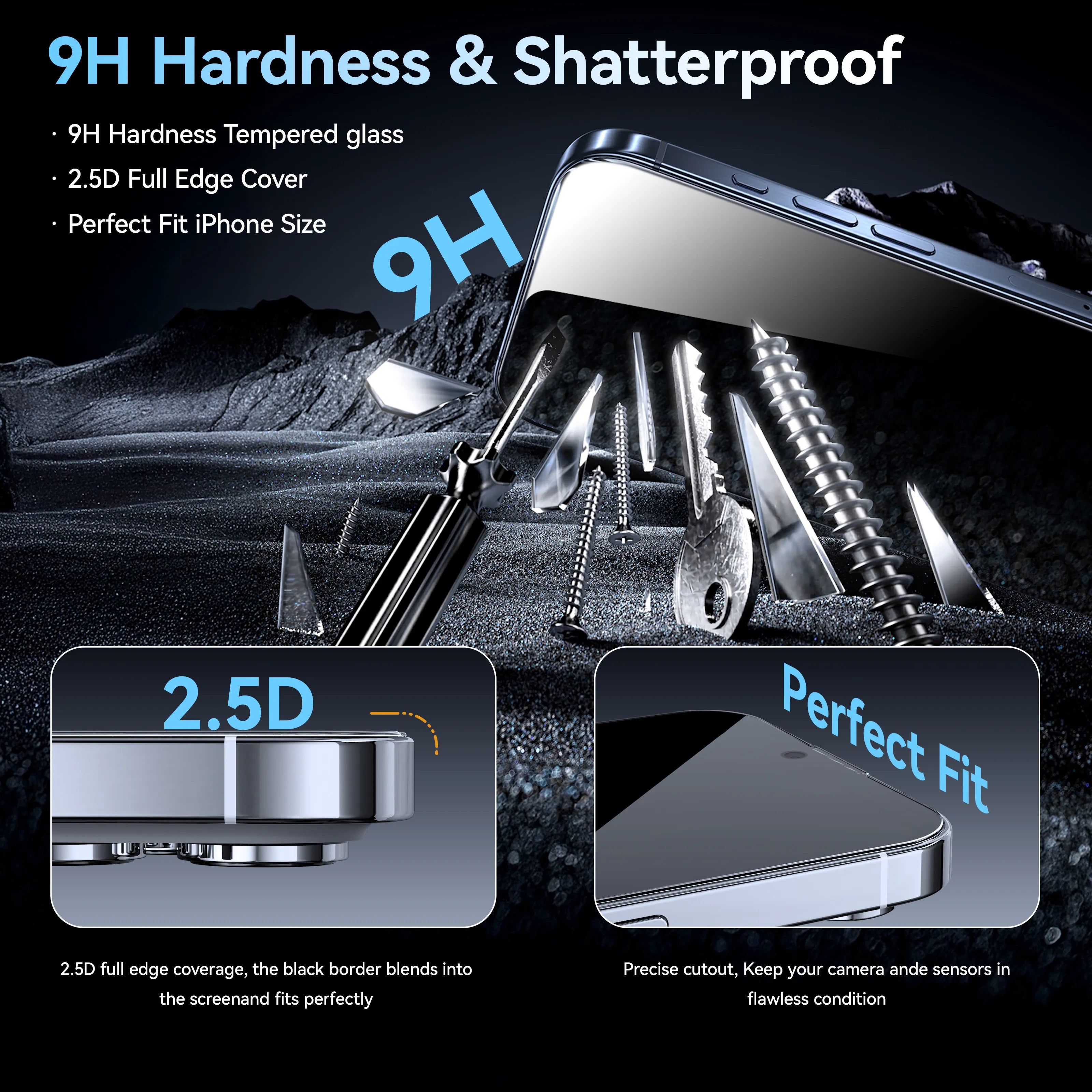
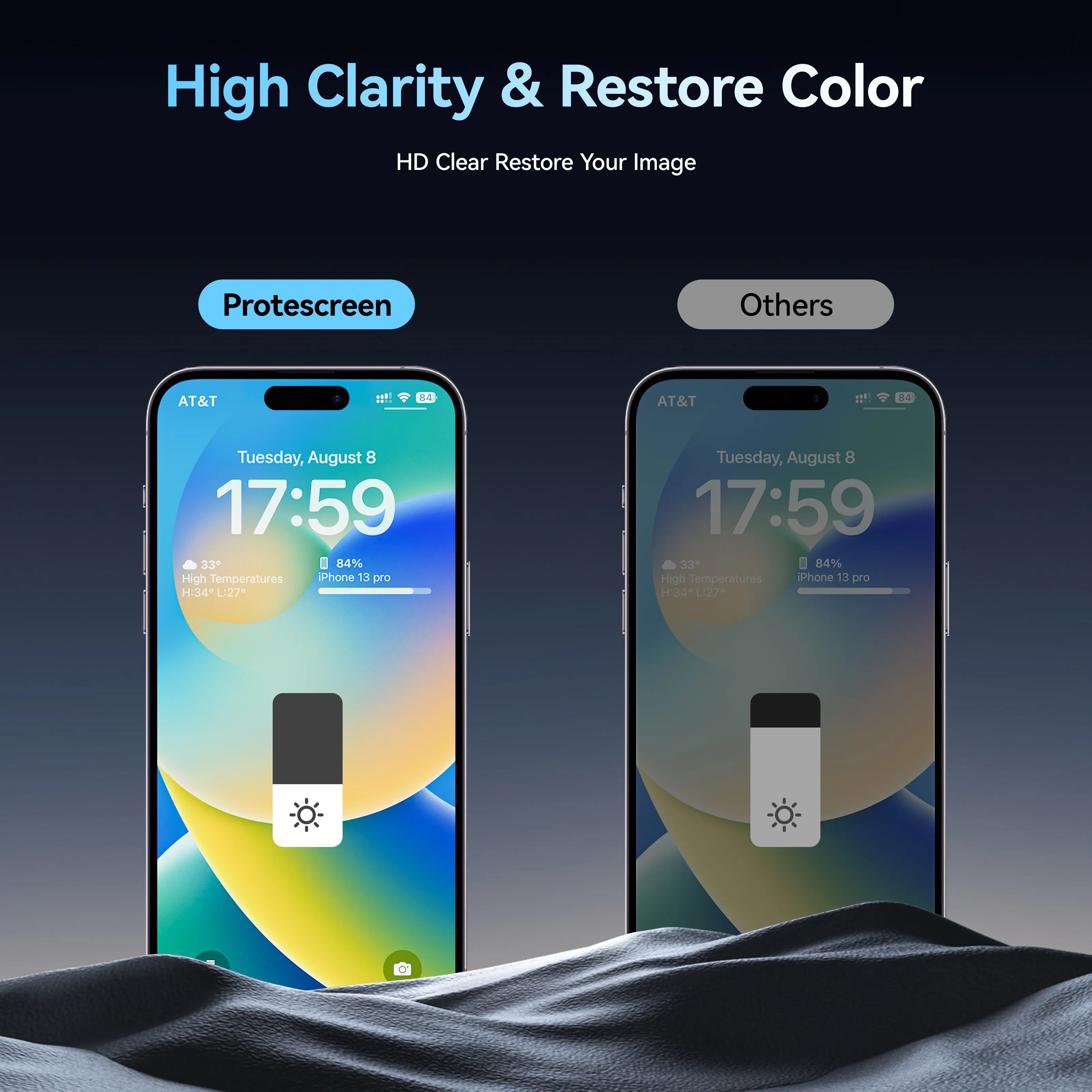

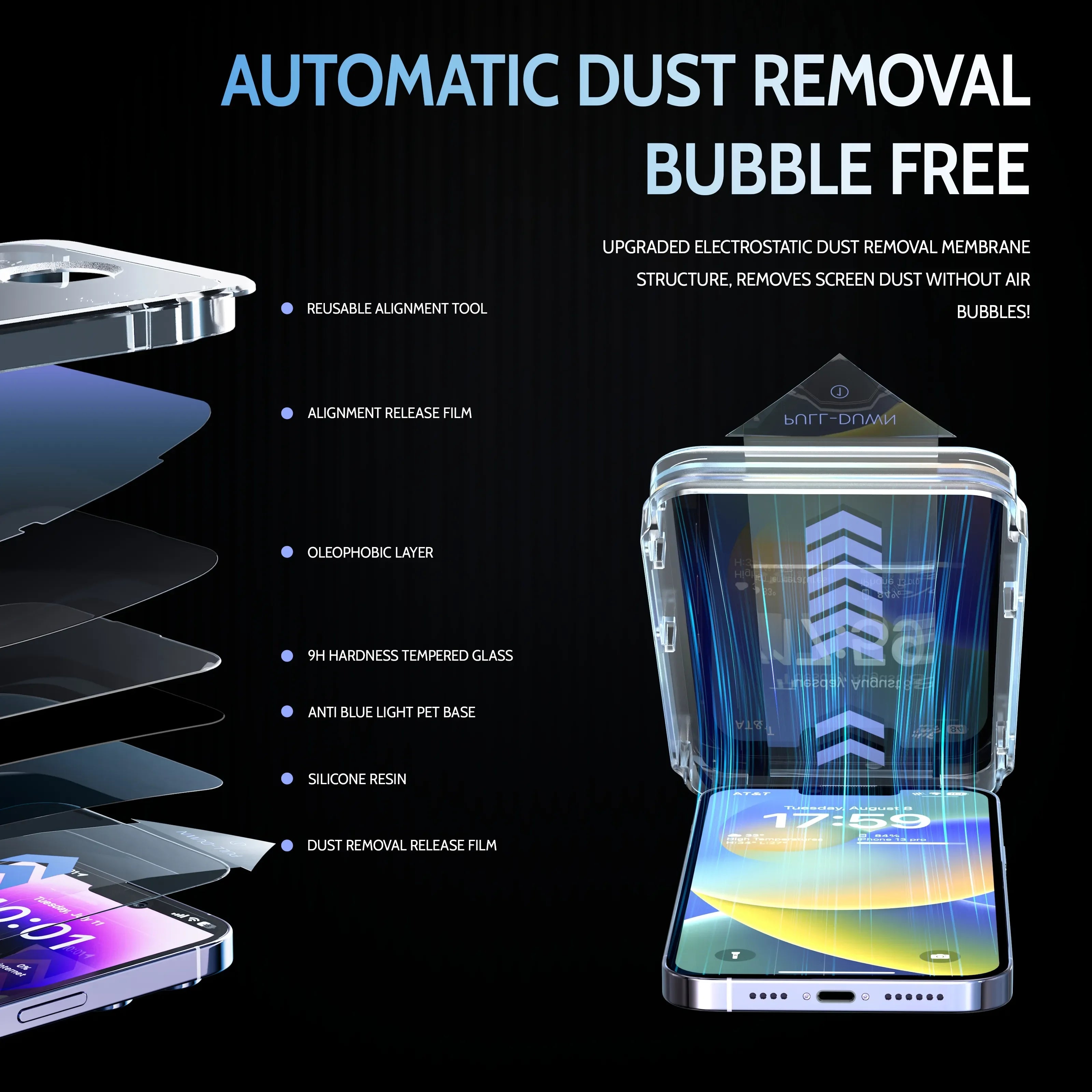
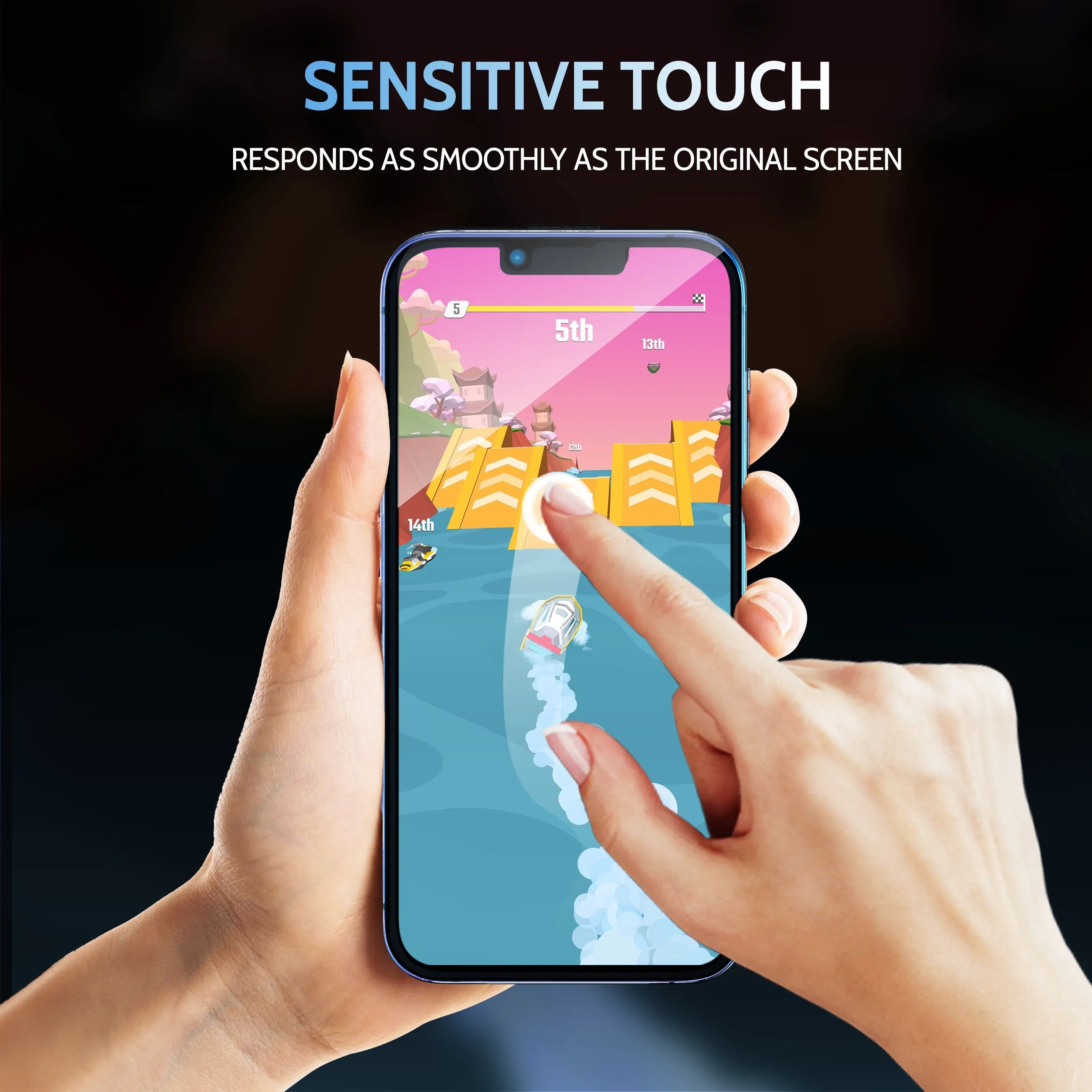
True 28° Private Protection
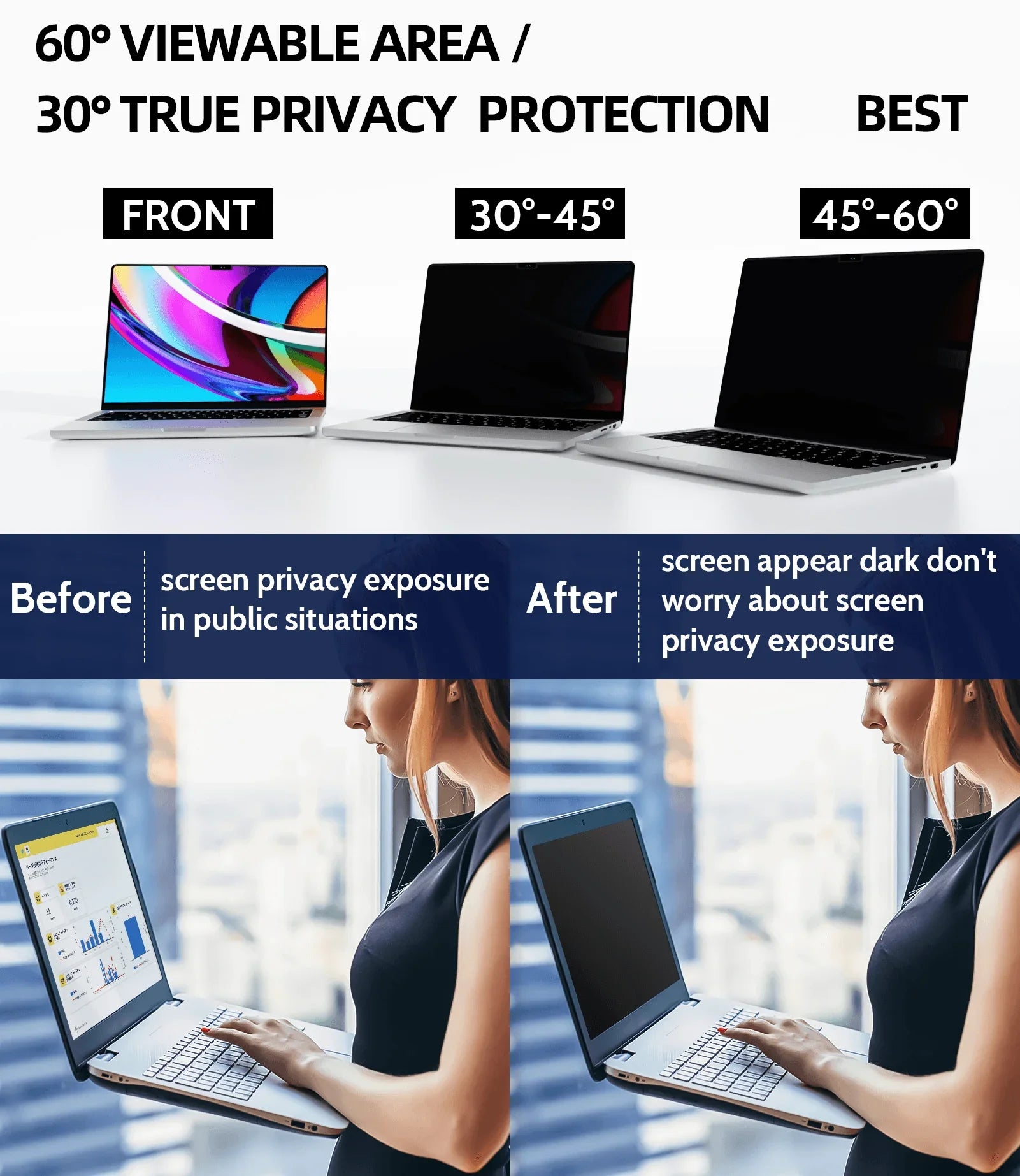
Protect your personal information with Protescreen’s 28° anti-spy privacy technology. The display remains crystal-clear and bright when viewed from the front, while side angles appear dark to prevent visual hacking in public spaces.
9H Hardness Protection
Built with durable 9H-rated protection to resist scratches, drops, and everyday wear, keeping your screen safe from keys, coins, and accidental impacts.
Anti-Glare & Blue Light Reduction
Reduces screen glare for improved visibility in bright environments and includes a blue-light filtering layer to help minimize eye strain during prolonged use.
Super Easy Installation
Designed for effortless installation with precise alignment and dust-reduction technology. Simply align, press, and enjoy a smooth, bubble-free finish in minutes—even for first-time users.
Compatible Devices:iPhone 13 / iPhone 14 / iPhone 15 series
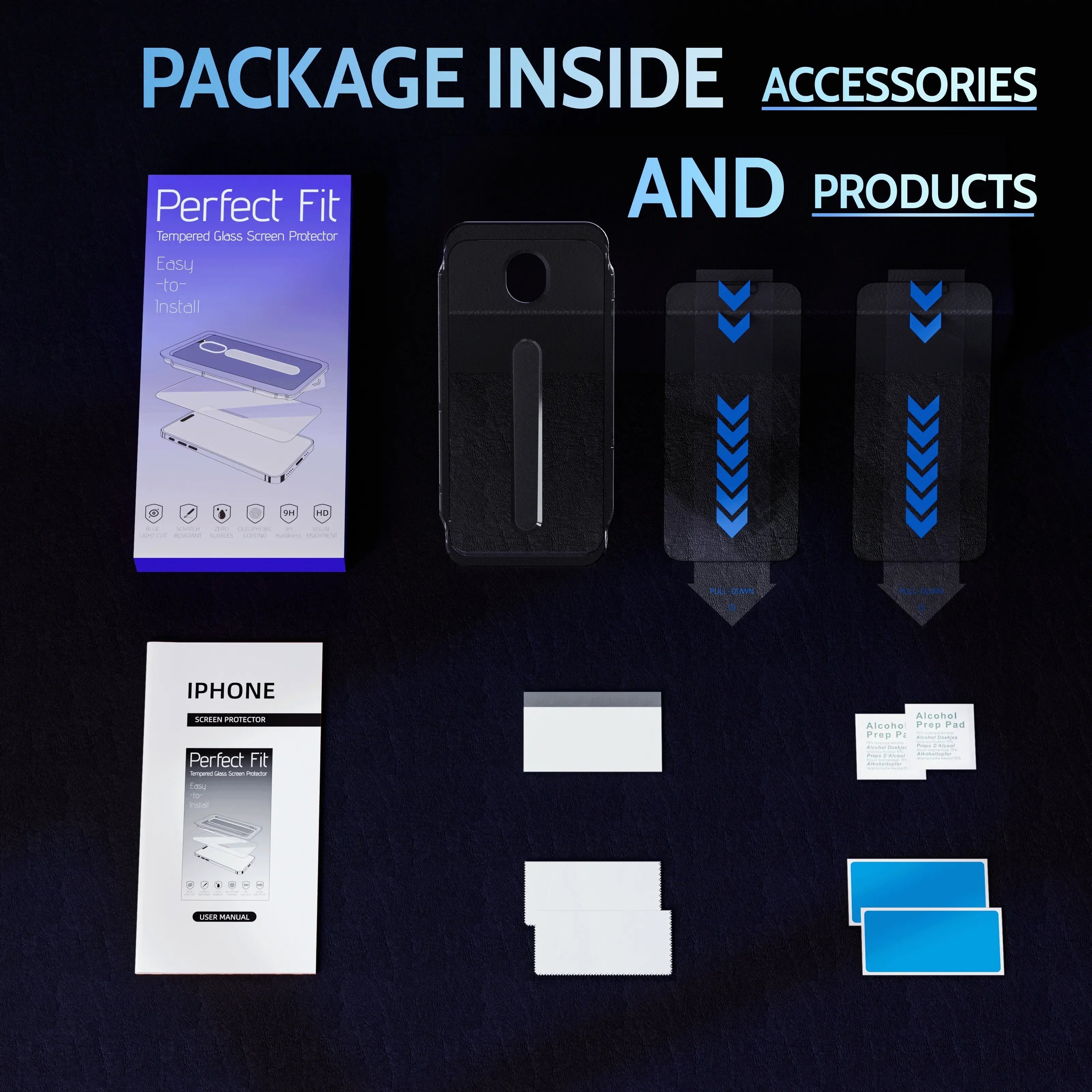
Package Contents
iPhone Privacy Screen Filter ×2
Alcohol Packs ×2
Scratch Card ×1
Instruction Manual ×1
Small Gray Cloth ×1
Packaging Box ×1

Shipping Time
|
Region |
Shipping Time |
|
United State |
5-8 Business days |
|
Canada |
5-8 Business days |
|
Australia |
5-8 Business days |
|
Europe & UK |
10-18 Business days |
|
Rest of the World |
10-18 Business days |
Delivery time= Processing time + Shipping time
Processing time includes the production time of the product.
Production time vary by product type. Common Products require 1-2 days production time, this time is not included in the delivery time. Thank you for understanding.
Shipping Methods
Protescreen different carriers to ensure your items arrive on time. When your items are shipped, we will use the most appropriate delivery method, depending on the weight and shipping destination of your package.
Our carriers are: 4PX, Yun Express, FEDEX.
The merchandise you order may be filled from several locations, and items may arrive separately. If this is the case: You will not incur additional shipping charges.
Your shipping charge (if applicable) will be split across multiple packages when your order is shipped.
Please note: We are unable to provide delivery for PO/BO BOX addresses and military addresses, please reserve a house number address, and the products will be delivered directly to your home.
NOTE: If your tracking appears stuck on a certain date, please note that this is entirely normal as the package moves from country to country. As soon as it lands in the US, it will move quickly to your doorstep via USPS!
Do you provide tracking information?
Yes, you will receive an email once your order ships that contain your tracking information, but sometimes due to free shipping, maybe some tracking is not available. More information is available on the information tracking page:
My tracking says “no information available at the moment”.
For some shipping companies, it takes 2-5 business days for the tracking information to update on the system.
If you have any other questions, please contact us and we will do our best to help you out.
support@protescreen.com
We have a 30-Day Money-Back Guarantee for Any Reason
If you are unsatisfied with the quality of the item(s) you received, you can submit a return request within 30 days of delivery. Return requests will be assessed and processed by our customer support team, you must first contact us at support@protescreen.com with a valid proof of purchase and photos or videos to determine the problem and the most appropriate solution for you.
Warranty Claims for Non-Quality-Related Issues Not Covered Under Warranty:
Buyer provide a valid order number from protescreen.com and provide a reason for the return (this information will be used for our records)
Returned products must be unused and kept in their original packaging with all included accessories. If the above requirements are not met, the return will not be accepted.
Your refund will be issued after the product is returned. For non-quality-related returns, the shipping cost of the return will be borne by the buyer (payment on the receipt is not supported), any shipping costs will not be refunded. For quality-related returns, a refund or reissue of the product will be given at protescreen's discretion.
If the product you are returning was purchased using a discount or promotion, you will be refunded the amount you paid after all discounts.
Refund requests for the money-back guarantee expire 30 days after opening a warranty claim. It is not possible to process a request for a refund for non-quality issues for items that have expired this 30-day window. For purchases not made directly through protescreen official website, please contact retailers for refunds.
We do not provide exchanges for products, but you may return unwanted products for a refund and place a new order for the product you would like.
Quality-Related Return Process:
Buyer provides a valid order number from protescreen.com and provide a reason for the return (this information will be used for our records)
Visible proof depicting the defect are required
It may be necessary to return an item for quality inspection
Shipping costs must be covered by the buyer in the following situations:
Returning products for any reason other than a proven defect
Returning items claimed to have defects but found by protescreen quality control to be in working condition
Not Covered Under Warranty:
Products without sufficient proof of purchase.
Items that have expired their warranty period
Non-quality-related issues (after 30 days of purchase)
Free products
Repairs through 3rd parties
Damage from outside sources
Damage from misuse of products (including, but not limited to: falls, extreme temperatures, water, operating devices improperly)
Refunds
Refunds are processed within 10 business days of receipt. Refunds will be issued based on your original form of payment (PayPal, credit card, debit card, etc.)
Cancelling & Modifying Orders
Cancelling and modifying an order can only be done if we have not shipped the order. Once an order is shipped, it cannot be cancelled or modified.
Please contact support@protescreen.com if you need to cancel or modify your order.
Overall rating: 4.8 / 5 from 1559 reviews.
This is perfect for privacy in our reception area. It works very well with the added benefit of protecting the eyes of reception staff.
iMac Desktop Computer Detachable Privacy Screen with Anti-Glare and Anti-Blue Light Functionality

The anti peeping film is very useful. After sticking it according to the instructions, it can be installed easily and can be disassembled at any time. The anti peeping effect is very good. The screen content is almost invisible from the side, but it is still very clear when viewed from the front. However, the screen will be slightly darker than without a film, which can also protect the eyes from strong light stimulation in low light areas.
Magnetic Privacy Screen Protector for Laptops – Anti-Spy, Ideal for Work and Travel

I’ve been using this 24-inch computer privacy screen filter on my 16:9 widescreen monitor for a few months now, and it’s been literally a decent accessory for my home office. The material isn’t bulky, and once I applied it, the adhesive held it firmly in place without any noticeable bubbling or shifting over time. When I view the monitor from the front, there’s a slight dimming effect that doesn’t distract me from working; the overall color display remains quite accurate for everyday tasks. The best part is that, from the side, the screen remains hidden, which helps maintain a bit more privacy during busy work hours at home. The brightness does reduce a bit, and my eyes feel less strained from glare, especially on bright days when the ambient light is high. I most time use it for document editing and browsing, and the filter does its job. It’s literally a straightforward addition to my desk setup, even if it isn’t flawless. If you’re looking for an affordable way to reduce side glare while keeping your workspace a bit more private, this privacy screen might be worth considering.
Removable Computer Monitor Privacy Screen Filter - for 16:9 Aspect Ratio

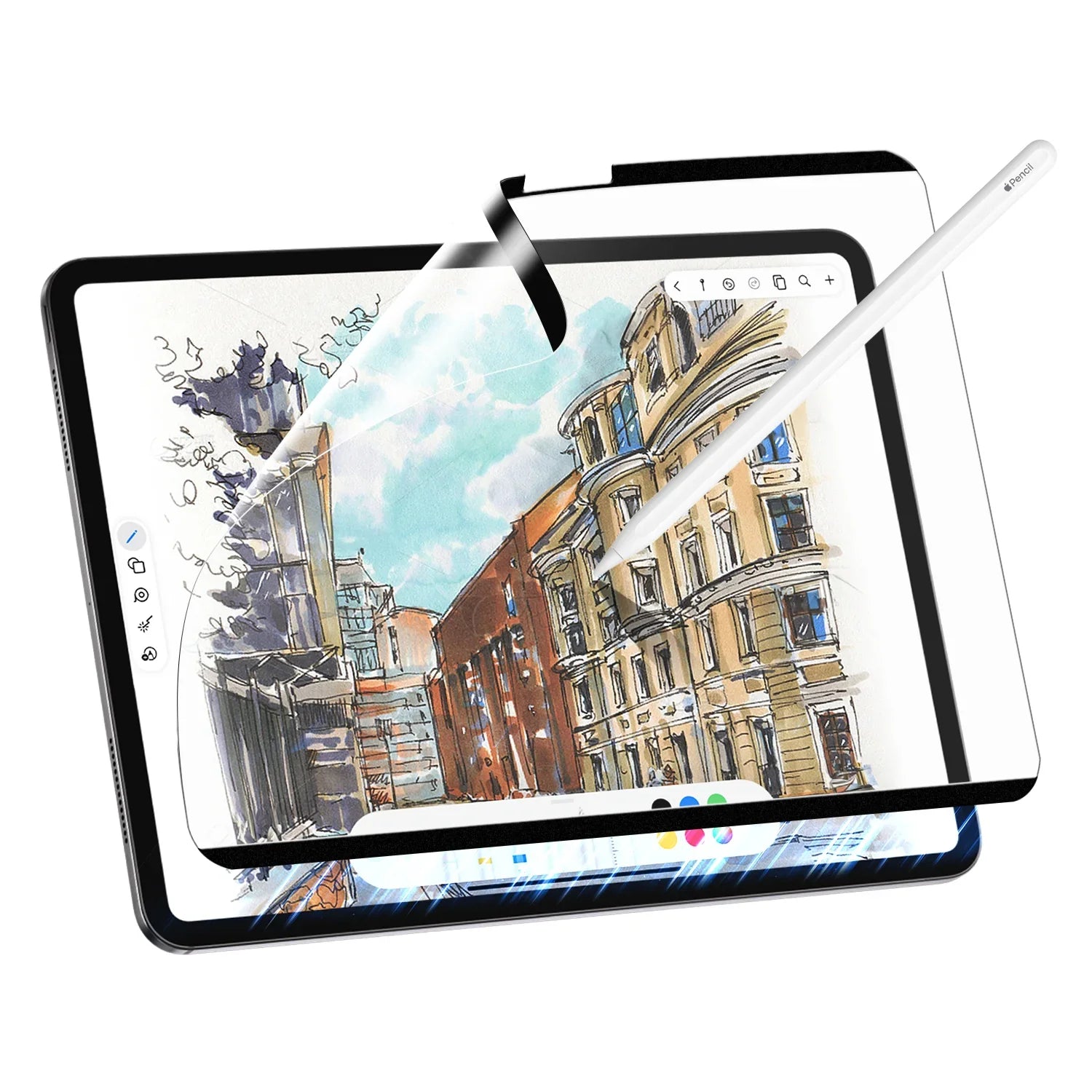
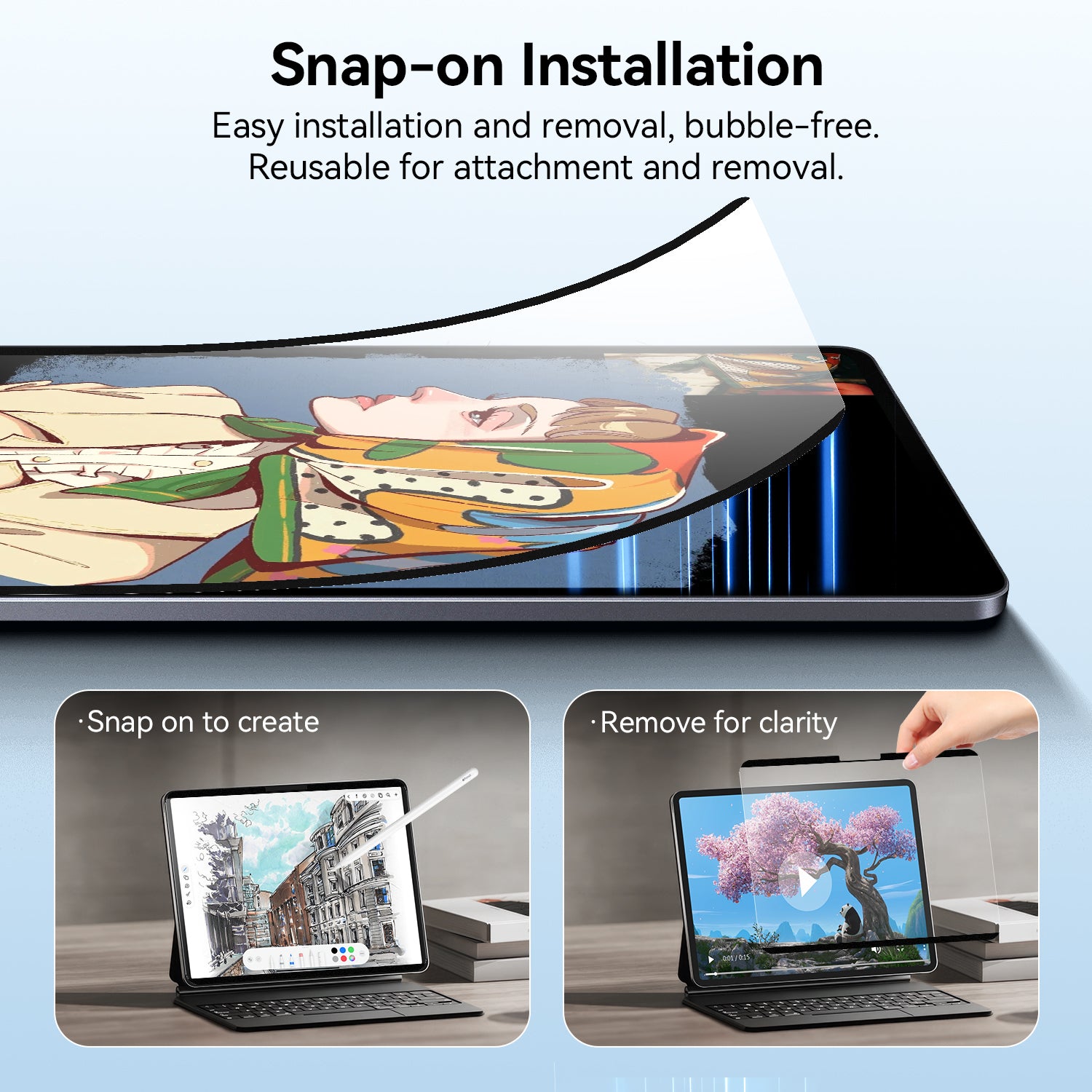
This paper like screen protector feels good to write on. It doesn’t have the slipperiness of regular glass. The installation kit makes it easier to install and align. You just place it in the tray and align the holes and it’ll go on without issue. It also helps with glare since it is a matte screen protector. This does affect clarity a bit but thats a sacrifice you have to do for a matte protector. If you ever feel like you don’t want the protector on anymore it is easy to remove. You just lift the protector off and it’ll be like your screen had never anything on. It does help protect your devices from scratches while it is on. I recommend this since it is a good value for 2 protectors in case something happens to the first one or you have another iPad you wanted to put it on.

This definitely exceeded my expectations, it has the perfect amount of drag to feel like naturally drawing on paper without it feeling rough on your skin. I’m still able to play games and use my fingers on the screen without any irritation or unwanted friction, honestly it feels better than normal glass because my hands don’t stick to it (I can finally do the flicks properly in pjsk!!) It also doesn’t seem to negatively affect the quality of the visuals (I also have yet to notice any visible fingerprint marks). As with any textured glass it’s not quite as crisp as it would be with a smooth screen protector but i’ve definitely seen worse at higher price points. Aside from that, the installation guide was very easy and helpful, and the squeegee provided in the kit was actually pretty sturdy and got the job done very well!

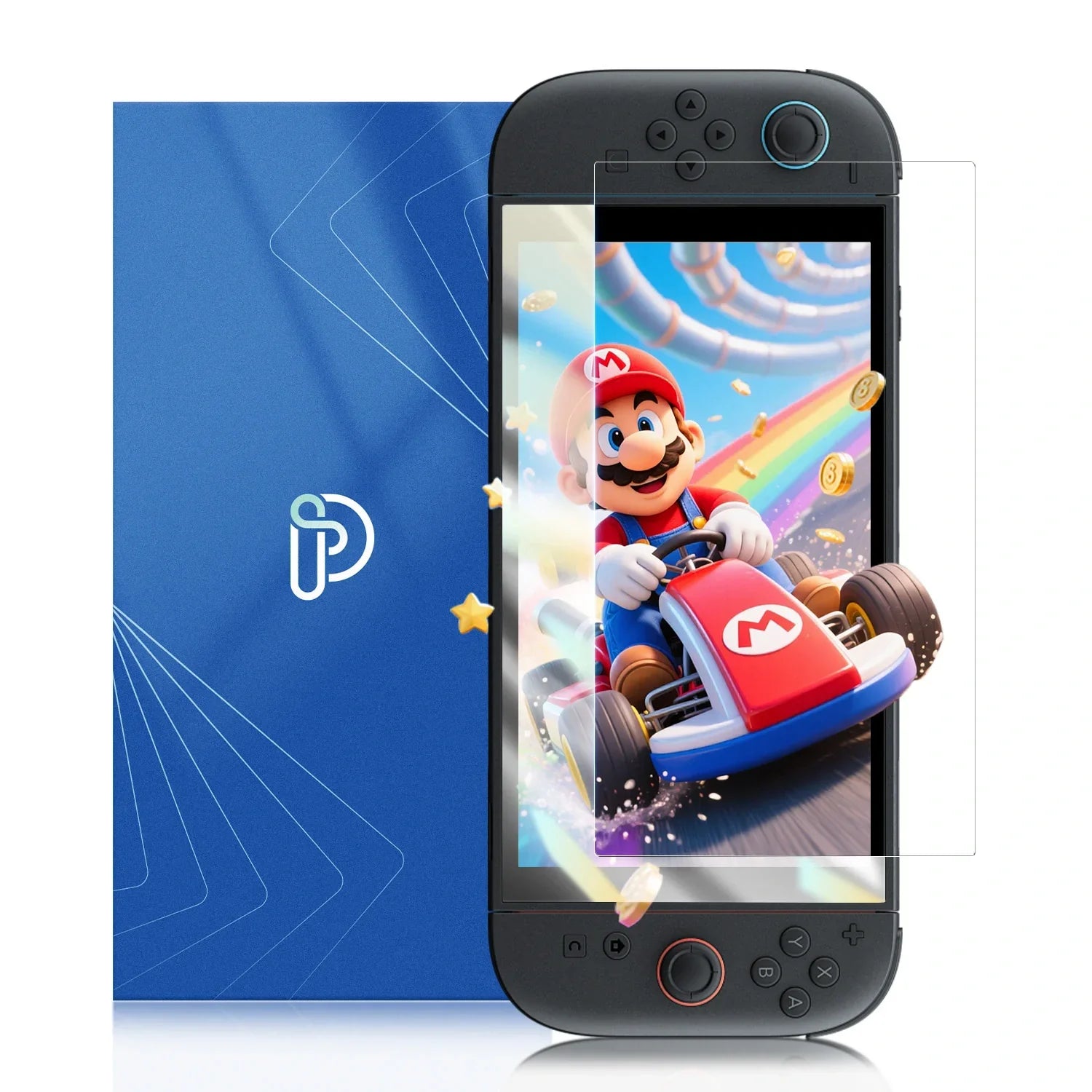
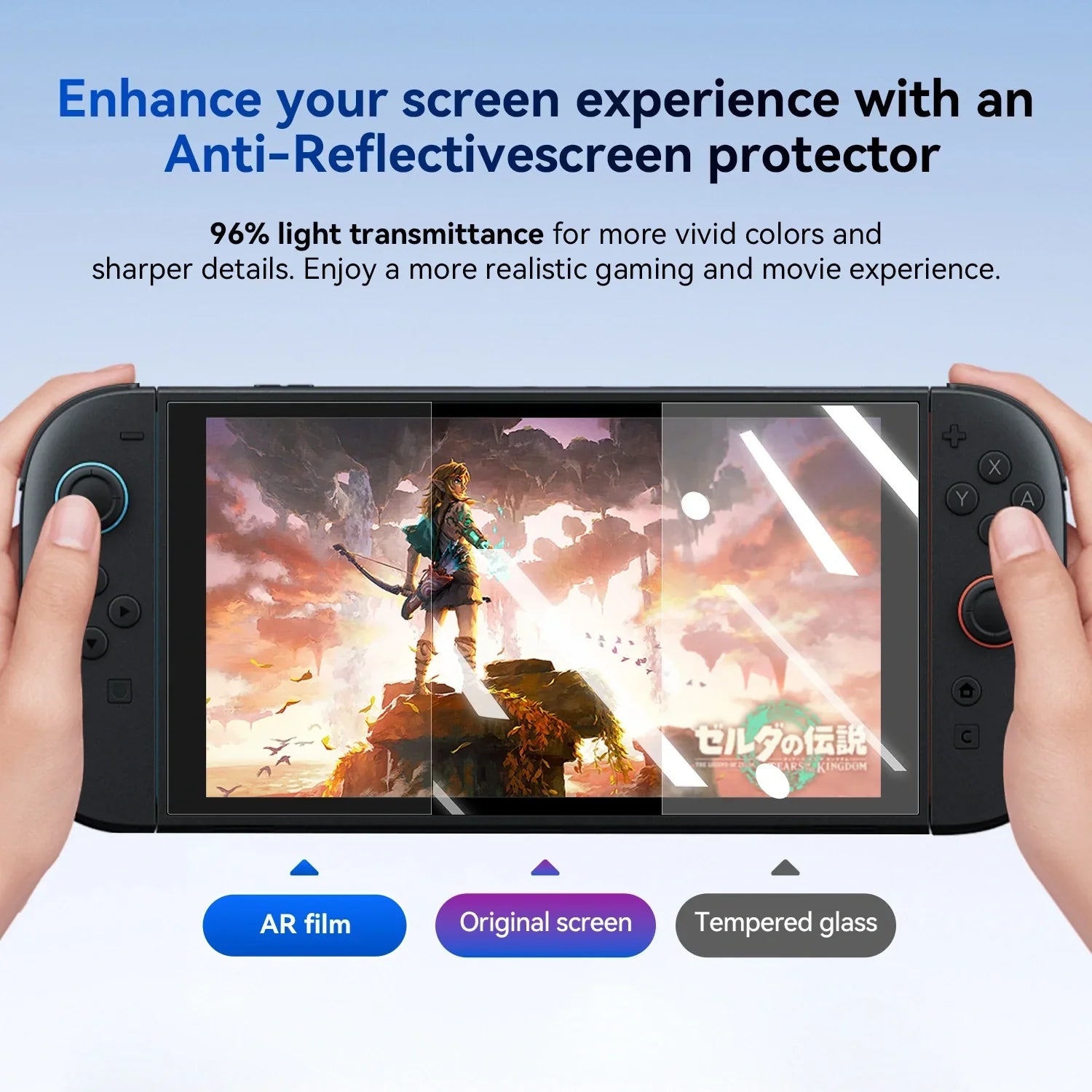
works well with no issues. Need to protect my new OLED switch!
AR+ Pure Anti Reflective Screen Protector for Nintendo Switch

What a great purchase at the beginning I was getting used to the glare but after a few days I am completely ok with it. I’m so happy and feel more at peace at work and with the freedom to sometimes get distracted at work. My desk is facing the back to an open space with a bunch of people and I always felt observed, this solved it completely, I gave the second screen to my coworker she’s happy too
Removable Computer Monitor Privacy Screen Filter - for 16:9 Aspect Ratio

The BEST paper like screen protector that makes it feel like you’re truly writing on paper with a ballpoint pen! The install couldn’t be simpler with the magnets and static cling since u can just peel it back up as many times as you need to reposition it. I use my iPad mini for daily journaling and this is the perfect thing. Will be recommending to everyone!

Works great with my iPad! I like the pencil tip and screen protector combo. I take a lot of handwritten notes with my iPad and have used for some digital drawing and have had no problems doing so. I think it does a pretty good job mimicking the paper/pen texture and experience. I have not noticed any scratching thus far.

Great screen protector and pen tip for people who draw or paint on their iPad. Doesn’t dull the color very much and is very durable. Highly recommend!!

What is really convenient about this privacy screen is that it's removable. When I'm needing it, I can just stick it back on on my screen as it's magnetic. Even with the strips being magnetic, it has not caused any damage to my screen. When looking directly over my shoulder, you are able to see what is on my computer. However, when people look at it from angles, no one can really tell what is on my screen, unless I'm watching a move or TV show. That's mainly because my work doesn't move and is usually lines of words. The screen itself is pretty much designed to fit my computer and no other versions, which is great. Overall, I love that I can take it off when I want or need to rather than be stuck with it on.
Removable Computer Monitor Privacy Screen Filter - for 16:9 Aspect Ratio

I like it so weird with the screen for laptop and MacBook
Removable Computer Monitor Privacy Screen Filter - for 16:9 Aspect Ratio

This is NOT intended as a protective film against drops, impact, etc. This film is a "poly" type of film that will protect against scratching for the most part, but with the intent of providing a "drawing" surface similar to paper. By this we mean that there is a slight "resistance" the to glide of the Apple Pen, unlike if the protector was a tempered glass (or no protector at all) is less resistance, and feels like the pen is gliding across the surface. By providing a slight resistance, it gives the sensation and better control of fine-drawing detail.
Removable Computer Monitor Privacy Screen Filter - for 16:9 Aspect Ratio

Using it at work has been great. I can see my screen clearly, but people walking by can't peek at what I'm doing. It's really helpful when I'm working on sensitive stuff or just want some privacy. The screen also cuts down on glare, which is nice when I'm working near windows.
Removable Computer Monitor Privacy Screen Filter - for 16:9 Aspect Ratio

I was surprised at how easy this privacy screen was to install. It uses a new MagicSuction technology that doesn't require any adhesives. Just align the screen with the Surface Pro frame and press it gently, and it's on. I didn't have any problems with bubbles or misalignment. In addition to privacy protection, this screen also filters out blue light and glare. This helps to reduce eye strain and fatigue, especially when I'm working for long hours. The screen also has an anti-scratch layer, so I don't have to worry about it getting damaged.
Removable Computer Monitor Privacy Screen Filter - for 16:9 Aspect Ratio

I installed Privacy Screen on my Surface Laptop, The MagicSuction installation method is nice. The nano-adsorption strips make alignment and installation incredibly simple and quick��literally in one second, as advertised. I appreciate not having to struggle with the setup. The privacy protection is top-notch. The advanced grating technology effectively blocks side views, ensuring that my screen's content is only visible to me. This added layer of security is essential for my work.
Removable Computer Monitor Privacy Screen Filter - for 16:9 Aspect Ratio

The privacy screen works exceptionally well, ensuring my screen is visible only to me. It effectively prevents prying eyes from seeing what��s on my display, providing peace of mind when working in public or shared spaces. Installing the privacy screen was quick and straightforward. It fits perfectly on my Microsoft laptop and stays securely in place. The best part is that it��s removable, allowing me to remove and reapply whenever needed without any hassle or residue. The added glare reduction and blue light filter are significant bonuses. It minimizes eye strain during long work hours, and the screen remains straightforward to read under various lighting conditions. My eyes feel much less tired at the end of the day.
Removable Computer Monitor Privacy Screen Filter - for 16:9 Aspect Ratio

I didn't think that the touch laptops had such drastically different screen dimensions than standard laptops, and I'm still not convinced they do. The privacy screen is taller than my laptop screen from top to bottom by a pretty significant margin, covering part the screen and all the way down to the hinge, but shorter than it is side to side. It sticks on and peels back off no problem with no write residue. The privacy feature does work great, even a slight change of angle hides the screen. If it fits your screen, you're set.
Removable Computer Monitor Privacy Screen Filter - for 16:9 Aspect Ratio

Love that it comes with the cleaning wipes (nice ones you would use for your glasses) Works perfectly and fits the edges nicely.
Removable Computer Monitor Privacy Screen Filter - for 16:9 Aspect Ratio

A privacy screen for a 13.5-inch Surface laptop, this spy-proof black protector is effective at protecting my privacy while filtering out glare and blue light and is very friendly to my eyes. Installation is very simple and can be completed in a few minutes, and it is removable and washable, which is very convenient. It can be reused without affecting the clarity and touch of the screen. This privacy screen is a very practical accessory for users who need to protect their laptop screen, privacy and eyes.
Removable Computer Monitor Privacy Screen Filter - for 16:9 Aspect Ratio

Does exactly what it's supposed to and creates an almost blackout screen if someone is standing to the right or left of you. PROS 1. Came well packaged. 2. Screens works flawlessly. Someone standing to the right or left of you cannot see your screen at all, not one bit, and show up black. CONS 1. These screens are NOT designed to create privacy when someone is standing behind you. Even if someone standing 15 feet directly behind, they can see your screen, FYI. It does exactly what it's designed to do but do not expect a black out if someone is behind you.
Removable Computer Monitor Privacy Screen Filter - for 16:9 Aspect Ratio

I got this for new MacBook I purchased on my birthday a M3Chip 13in Mac and it��s super easy to attach and is superb in privacy protecting. Easy install, no glare, rarely notice any dust or fingerprints on it and for the price absolutely worth it! I will say if you��re looking for something to protect your screen for hits this might not be it BUT if you��re looking to stop those pesky peeping eyes from looking at your laptop this is great ALSO COMES WITH A NICE LITTLE CAMERA COVER! ??
Removable Computer Monitor Privacy Screen Filter - for 16:9 Aspect Ratio

I needed a privacy screen for my 16" MacBook Pro M1. These fit the bill as not only it provides adequate protection against scratches, it also provides good enough privacy from side angles without distorting the colors or brightness from the front of the screen. The screen came with a slight sticky substance which helps it adhere to the screen much easier. The screen is easy to put on and remove. In addition, as a bonus they also send a wipe cloth and two additional camera privacy stickers with on and off curtains that can be used to cover your MacBook camera. I love this bundle as it comes with everything you need. Overall a five star!
Removable Computer Monitor Privacy Screen Filter - for 16:9 Aspect Ratio

I ordered for Mac Air M2, and it fits as expected. The packaging is protective during shipping. Application was easy, the magic suction is a sticky border, which seems good since it doesn't need to stick to the screen. I don't typically get the privacy screens, but the first thing I noticed that I needed to increase screen brightness a couple ticks. So, I'm thinking this could be. a battery issue at some point. I didn't think to do the blue light test before applying... Otherwise it looks both protective of the screen and side views. The instructions are straightforward, but written in poor English.
Removable Computer Monitor Privacy Screen Filter - for 16:9 Aspect Ratio

You have to 1st clean your laptop��s screen, then apply the he screen protector. This is the easiest screen protector I have ever installed on a laptop and works great. When I installed mine, there were NO air bubbles, pockets. There is a slight outward handle on the upper right side of the screen for easy off/on access. This kit provides you with 2 sliding camera covers of the same size. The latter also helps you protect from thumbing your camera lens accidentally with finger prints. TIP: I cant my sliding camera cover for easy sliding on/off the camera.
Removable Computer Monitor Privacy Screen Filter - for 16:9 Aspect Ratio

The privacy feature is perfect. Easy to put on, good fit and you cannot see the screen from the side as intended
Removable Computer Monitor Privacy Screen Filter - for 16:9 Aspect Ratio

WOW has matte protection come a long way. I was very worried about the rainbow and sparkly effect matte protectors have on screens. I was very surprised to see if this has very minimal of either of these issues. Installation was easy to qualified minutes and I took my time. The instructions could use a little bit more clarity but when you read it two to three times first it becomes clear what you need to do. My installation was flawless, not a speck dust or anything else. The cut of screen glare is spectacular! Tips: SEE MY CRUDE DIAGRAM FOR THE VISUAL OF HOW TO APPLY 1. Make sure your screen is very clean and dust free. 2. Make sure you use the sticky tabs to hold the protector down on 1 side as you will be lifting the other side for installation. Make sure your tabs are parallel to the top edge of the screen. Think along the lines of a door hinge. If your "hinge"is crooked, when you lift it up to apply, it will be off angle. 3. Peel off the under layer ( this will static cling stick to your hand! I had to shake it off as my other hand was holding up the protector). While you are holding up the far end of the protector, slowly lower it like a bent page of a book while working the squeegee from the side where you applied the tabs. If you get a bubble, just lift the protector just enough to wear the bubble is and then work the squeegee across again. 4. Peel off the protective top layer and you are done! No more 15 min screen sleeping sessions !!!! Mac screens with the anti-reflective coating are major pains to clean. Why I did not do this sooner it's beyond me.
Removable Computer Monitor Privacy Screen Filter - for 16:9 Aspect Ratio

I��ve been using this privacy screen on my MacBook for a few months now and it has held strong. It does take a few days to get used to, however now I don��t know how I ever opened my computer in public without one.
Removable Computer Monitor Privacy Screen Filter - for 16:9 Aspect Ratio

I'm work from home 3 days per week, so I thought that I may as well take advantage of the nice weather by working outside on our deck. The problem was that when it was sunny out, there was a lot of glare on the screen and it was really hard to see. I had initially brought out a box to act as a shade, but it was clumsy and unsightly & blew away easily. So I did some homework & I found this product and it's exactly what I need. It comes with different mounting options��permanent, where it adheres directly to the screen; and temporary, where it can slide out when not needed. I opted for temporary mounting, which is easy to figure out and easy to use. The size of the filter is EXACTLY perfect for my monitor and it definitely eliminates glare. Excellent Product!!! I would definitely buy it again!
Removable Computer Monitor Privacy Screen Filter - for 16:9 Aspect Ratio

This works very well, no-one can see my screen and it was a breeze to install. The adhesion is perfect and it came with 2 camera covers. If I am not sitting square in front of my laptop there is a little bit of a shadow, like if I'm leaning on my left arm there is a shadow on the right side of the screen, vice versa. This is not a problem, just fyi. I am really happy with this plus when I close my MacBook there is not a gap!
Removable Computer Monitor Privacy Screen Filter - for 16:9 Aspect Ratio

Had eye surgery and needed something to help with glare. These work great!
Removable Computer Monitor Privacy Screen Filter - for 16:9 Aspect Ratio

This screen protector is very helpful. It does have a paper feel to it which is what I wanted so it was true to its description. It has protected my screen well from some falls as well. Doesn��t get dirty and doesn��t make any parts of my screen blurry.
Removable Computer Monitor Privacy Screen Filter - for 16:9 Aspect Ratio

The screen is easy to apply. Easy to clean. Easy to use. Standing directly behind you the monitor can be seen but from the sides, you cannot see anything at all. No issues with this at all, it does as it should.
Removable Computer Monitor Privacy Screen Filter - for 16:9 Aspect Ratio

So glad I went with this privacy screen protector ! It doesn��t dim or alter my screen while protecting my privacy from other people . This is the one yall ! BUY IT !
Removable Computer Monitor Privacy Screen Filter - for 16:9 Aspect Ratio

The Paperfilm Screen Protector for iPad is a product that heavily relies on individual preference, and my experience with it has been a mixed bag. As a thin plastic sheet that adheres to the iPad screen, it doesn't promise the same level of protection as a tempered glass protector, but I was well aware of this before making the purchase. My primary reason for choosing this product was its matte finish and the claim that it would provide a paper-like feel when using a stylus, particularly the Apple Pencil. The matte finish does an excellent job of keeping fingerprints off the screen, which is a feature I appreciate. Moreover, I enjoy the subtle friction it adds when writing with the stylus. However, it's crucial to note that despite the claim, it falls short of replicating the tactile experience of writing on paper. While I find the added friction pleasing, my wife disagrees, highlighting the subjectivity of this feature and its reliance on personal preference. During the application process, typical steps of cleaning are necessary. However, I found that there is either no adhesive layer or it's very light. This resulted in the screen protector not fitting accurately on my 10th generation iPad, causing a loss of about a millimeter of screen space. While this may seem minor, it's a noticeable flaw that detracted from my overall satisfaction with the product, leading me to deduct a star from my rating. In terms of the paper-like feel, I won't deduct any points, as this aspect is highly subjective and may vary from person to person. As for whether I would purchase it again, I'm uncertain. While I appreciate some aspects of the screen protector, such as the matte finish and added friction, the inaccurate sizing and failure to replicate the feel of paper leave me with mixed feelings about its overall value. In conclusion, the Paperfilm Screen Protector for iPad offers some appealing features but falls short in certain areas. Whether it's the right choice for you will likely depend on your individual preferences and priorities. Since I am not able to strongly recommend this product, I have deducted another star.
Removable Computer Monitor Privacy Screen Filter - for 16:9 Aspect Ratio

I am using this paper film with different tips for the Apple Pencil, which are a great combination, https://www..com/gp/product/B0CBPH8G1V This is a better drawing feel than the stock screen and pencil tip and has the bonus feature of giving some protection against scratches. In the video, you can see how expressive the pencil lines and shading are. I was a bit worried that it would cause colors on the iPad to appear too dull for other activities like watching movies. But I'm pleasantly surprised that it's more like the option Apple used to offer for their laptops of a matte scree instead of a glossy screen. I wish they still offered the matte screen because it's better for content creation due to less glare. The glossy is nice for watching movies because of the richer black, but glare and reflection from lights in the room is a bigger problem with the glossy black screens. For fingerprints, this screen protector doesn't show them as easily as the bare iPad, and the fingerprints I did get had no trouble wiping away with this screen cleaner https://www..com/gp/product/B0CTJLG987 I was a bit careless with the package before I installed it, and a heavier object left a crease on the corner of the screen protector. It's my fault, but it's also not that bad and doesn't affect the functionality, just somewhat annoying on an otherwise perfect screen.
Removable Computer Monitor Privacy Screen Filter - for 16:9 Aspect Ratio

My recent purchase of the Paperfilm Screen Protector for my iPad Air 5th generation has been a mixed bag of experiences, earning it a solid 4-star rating. Let me break down the pros and cons of this screen protector. Installation was a breeze; the process was straightforward, and the protector fit my device perfectly. The magnetic application worked seamlessly, ensuring the film stayed securely in place without any noticeable shifts during regular use. The protector does an excellent job safeguarding the face of my device from scratches, fingerprints, and dust. The Apple Pencil performs admirably, even capturing the nuances of light strokes effectively without compromising the pen tips. One notable feature is the paper-like feel it provides, enhancing the writing experience without the unpleasant sandpaper texture that can wear down pen tips over time. However, there are trade-offs. The screen protector slightly diminishes the brightness of the screen and narrows the viewing angles, giving it a more "matte" finish compared to the glossy original screen. If you can accept these compromises and prioritize an improved writing experience with the Apple Pencil, then this protector is a solid option. In conclusion, the Paperfilm Screen Protector strikes a balance between protection and functionality, offering a commendable solution for those who value an enhanced writing experience with minimal compromises.
Removable Computer Monitor Privacy Screen Filter - for 16:9 Aspect Ratio

I like the matte finish and feel. Easy to install.
Removable Computer Monitor Privacy Screen Filter - for 16:9 Aspect Ratio

This has a very nice texture to it and it gives the screen a paper like feel and reduces glare on the screen. It was easy to install and adheres well.
Removable Computer Monitor Privacy Screen Filter - for 16:9 Aspect Ratio

Title of my review comes from my own mistake ... Prior to this product, any protector I've used has come with a peel off design that protects the screen protector from dust during the install process. This does not! Once you open the screen protector, that is it, don't set it down or get gunk on it because there is no sheath or peel off component! It works and fits well, I just wish it had an extra peel layer like other screen protectors I've gotten because I definitely wasn't expecting it to have no peel off part. Also, there's a black border around it that has the stick that I'm not a fan of- I prefer a pure clear design. Overall, good quality and easy install so 4/5 stars
Removable Computer Monitor Privacy Screen Filter - for 16:9 Aspect Ratio